Home     Dial-Up   |   ISDN   |   Domain Registration   |   Web Hosting  |  DSL


About Us


Access Numbers


Web E-Mail


Customer Support


Contact Us


Internet Explorer 5.0


  1. Load Outlook Express
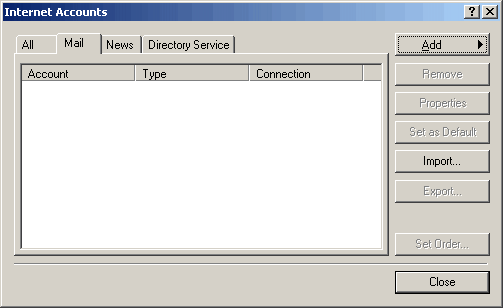
  2. Select Accounts from the Tools menu
  3. Click the Add Button
  4. Select Mail from the drop-down menu.


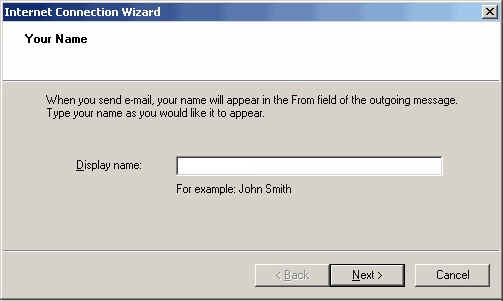
  5. Enter your name in the Display Name field.
  6. Click the Next button.


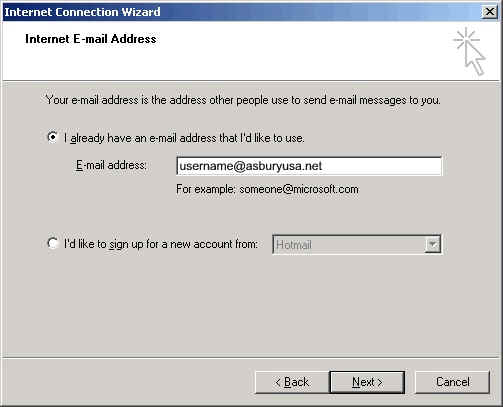
  7. Enter your Email Address. (Make sure you use your username@asburyusa.net)
  8. Click the Next button.


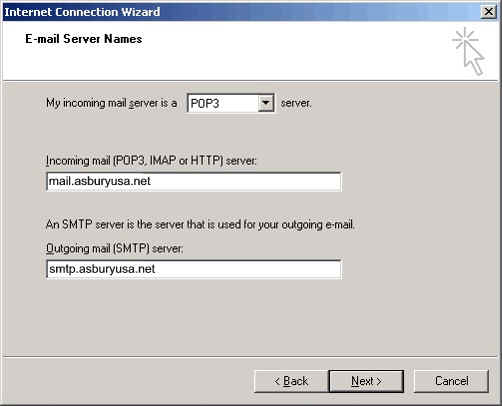
  9. Select POP3 from the drop down menu.
  10. Fill in the Incoming mail (POP3) server field with mail.asburyusa.net
  11. Fill in the Outgoing mail (SMTP) server field with smtp.asburyusa.net
  12. Click the Next button


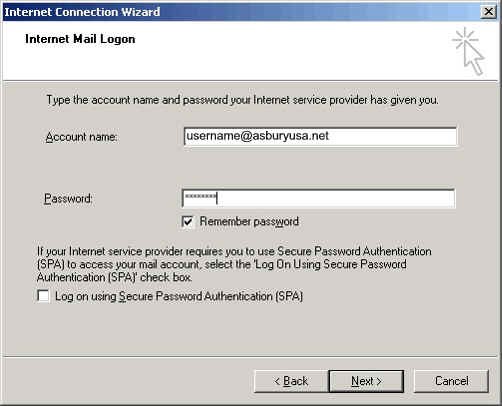
  13. In the Account name field, enter your Email Address. (Make sure you use your username@asburyusa.net
  14. Enter your password into the Password field
  15. Click the Next button


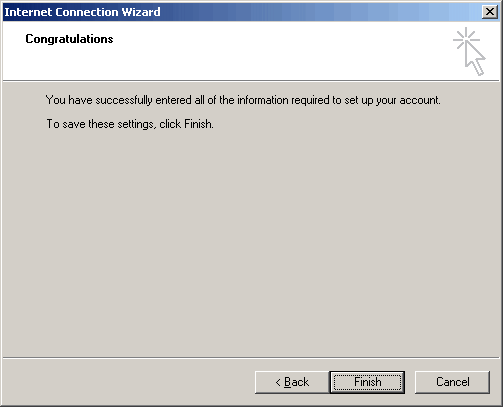
  16. Click the Finish button


P.O. Box 915 Pismo Beach, CA 93448

Toll Free Phone: 877-351-8407

E-Mail: AsburyUSA.net

 DSL | Dial-Up | ISDN | Domain Registration | Web Hosting | Policies | Access Numbers 

About Us | Customer Support | Contact Information | Click to make AsburyUSA your Default Homepage


Copyright © 2009 AsburyUSA.net. All rights reserved.